
Most service businesses treat web intake as a passive task. They place a standard contact form on their site, collect visitor details, and route the submission to a general info inbox or a CRM queue. This manual intake workflow relies on staff to open the email, review the request, and call the prospect back. While this looks organized, it creates a latency gap that actively kills sales conversions.
The High Price of Response Latency
A landmark study published in the Harvard Business Review, 'The Short Life of Online Leads,' analyzed response times across 1.25 million digital sales inquiries. The data shows that the probability of contacting and qualifying a lead decays exponentially in the first hour. If a business responds within 5 minutes, their conversion rate is 400% higher than if they wait 10 minutes. By the 30-minute mark, the lead has usually called a competitor.
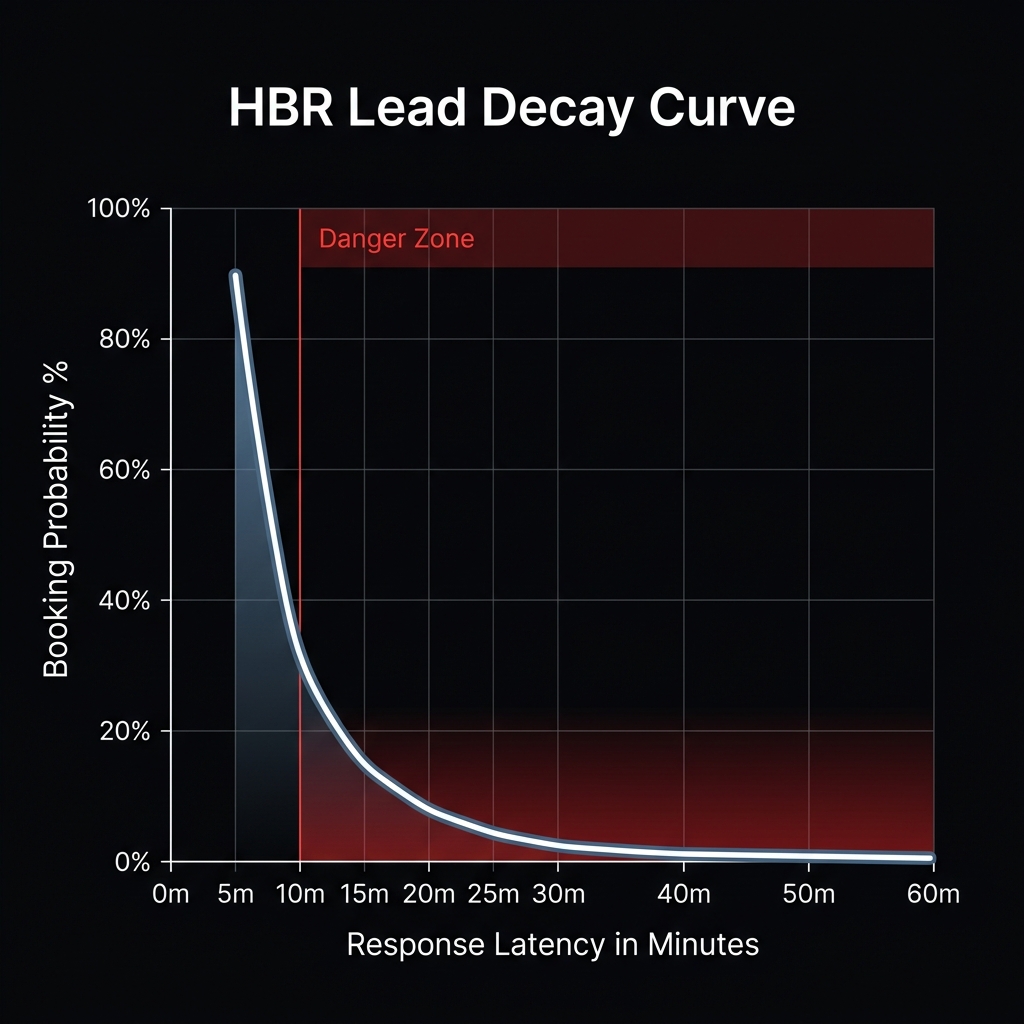
Standard contact forms (like Contact Form 7, Typeform, or standard CRM embeds) are passive data collectors. They offer no real-time qualification or scheduling options. The user is left waiting for a callback, creating a delay that encourages them to return to Google and search for a faster provider.
Voicemails and email back-and-forths are friction points. Modern consumers expect immediate booking confirmations, not callback promises.
Native API Scheduling Integration
The solution is to replace static forms with an intelligent, qualified scheduling API. When a prospect inputs their zip code and service needs, the system should run real-time availability queries and display open booking slots instantly. Below is a sample JavaScript block showing how to query available slots for a qualified zip code natively via REST endpoints, avoiding manual routing delays:
async function fetchAvailableSlots(zipCode, serviceId) {
  try {
    const response = await fetch(`https://api.casrasystems.com/v1/schedule/slots?zip=${zipCode}&service=${serviceId}`);
    if (!response.ok) {
      throw new Error("Failed to retrieve schedule availability");
    }
    const data = await response.json();
    return data.availableSlots; // returns structured time array e.g., ["2026-05-28T10:00:00Z"]
  } catch (error) {
    console.error("Scheduling error:", error);
    return [];
  }
}
By embedding this scheduling logic directly into the form's confirmation screen, you capture the customer while their buying intent is highest, locking in the booking without requiring a sales call.