
When selecting software, it's tempting to choose cheap, off-the-shelf platforms. These tools cost little upfront and take minutes to configure. However, because they are designed as rigid, one-size-fits-all templates, they rarely match your specific business workflows. To make them work, your staff is forced to build manual workarounds and spend hours copy-pasting data between systems.
The High Cost of Software Rigidness
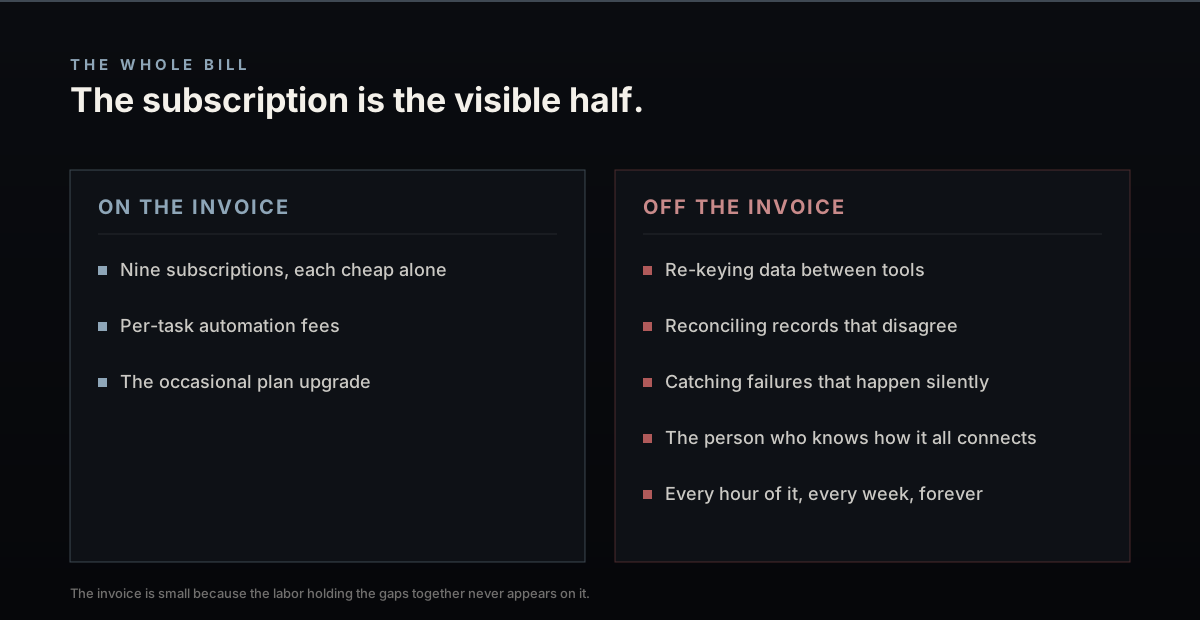
The Standish Group's CHAOS Reports, which analyze software project outcomes, show that over 60% of off-the-shelf software features go completely unused because they do not align with actual user workflows. The real cost of rigid software isn't the license fee; it is the labor cost of the manual workarounds your team must perform to bridge the gaps. If your admin staff spends 10 hours a week copy-pasting customer details from your booking tool to your CRM, you are paying a high hidden tax for 'cheap' software.
+-----------------------------------------+
|        Rigid Off-The-Shelf SaaS         |
+-----------------------------------------+
|  [Custom Frontend]  -> Manual Entry? -> |
|  [Standard CRM]      -> Manual Sync?  -> |
|  [Separate Invoices] -> Manual Entry?   |
+-----------------------------------------+
                    VS
+-----------------------------------------+
|     Consolidated Custom Operating OS    |
+-----------------------------------------+
|  Database Write -> DB Trigger (Auto)    |
|   - CRM Updated                         |
|   - Booking Confirmed                   |
|   - Invoice Dispatched                  |
+-----------------------------------------+
Rigid software forces your team to bend their workflows to fit the tool, creating inefficiencies that outweigh any savings on subscription fees.
Declaring Custom Workflows
Instead of bending your operations to fit a generic template, workflows should be defined as custom database pipelines. Below is a sample configuration map detailing how to route a customer onboarding event natively across CRM and invoice tables in a single transaction:
workflow:
  trigger: "booking_completed"
  steps:
    - action: "upsert_customer_profile"
      target: "db.customers"
    - action: "schedule_dispatch_event"
      target: "db.service_bookings"
    - action: "generate_invoice"
      target: "stripe.invoices"
By configuring custom-fit tools that align with your workflows, you eliminate manual double-entry, accelerate onboarding speeds, and scale operations without growing your staff.